
Efficient Admin Menu Plugin — Convenience and Speed in the WordPress Admin Panel
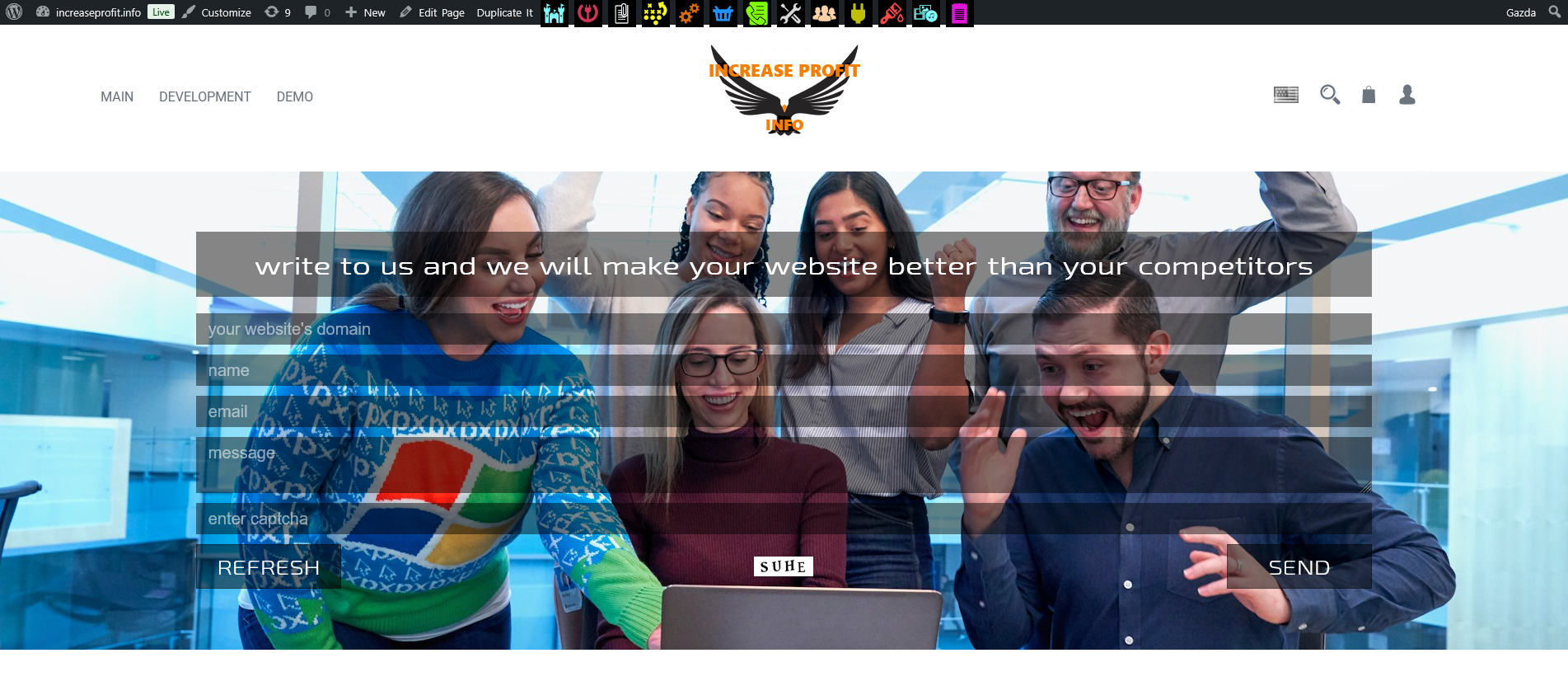
Make your WordPress admin experience as easy as possible
Working in a website’s administrative panel often requires a significant amount of time and attention. Constant switching between sections, searching for necessary functions, and an overloaded interface can greatly slow down task execution. That is why convenient management tools are an important part of an administrator’s efficient workflow.
The Efficient Admin Menu plugin was created to make working in the WordPress admin panel as simple, fast, and enjoyable as possible. It helps optimize navigation, speeds up access to required sections, and makes the interface more user-friendly and intuitive.
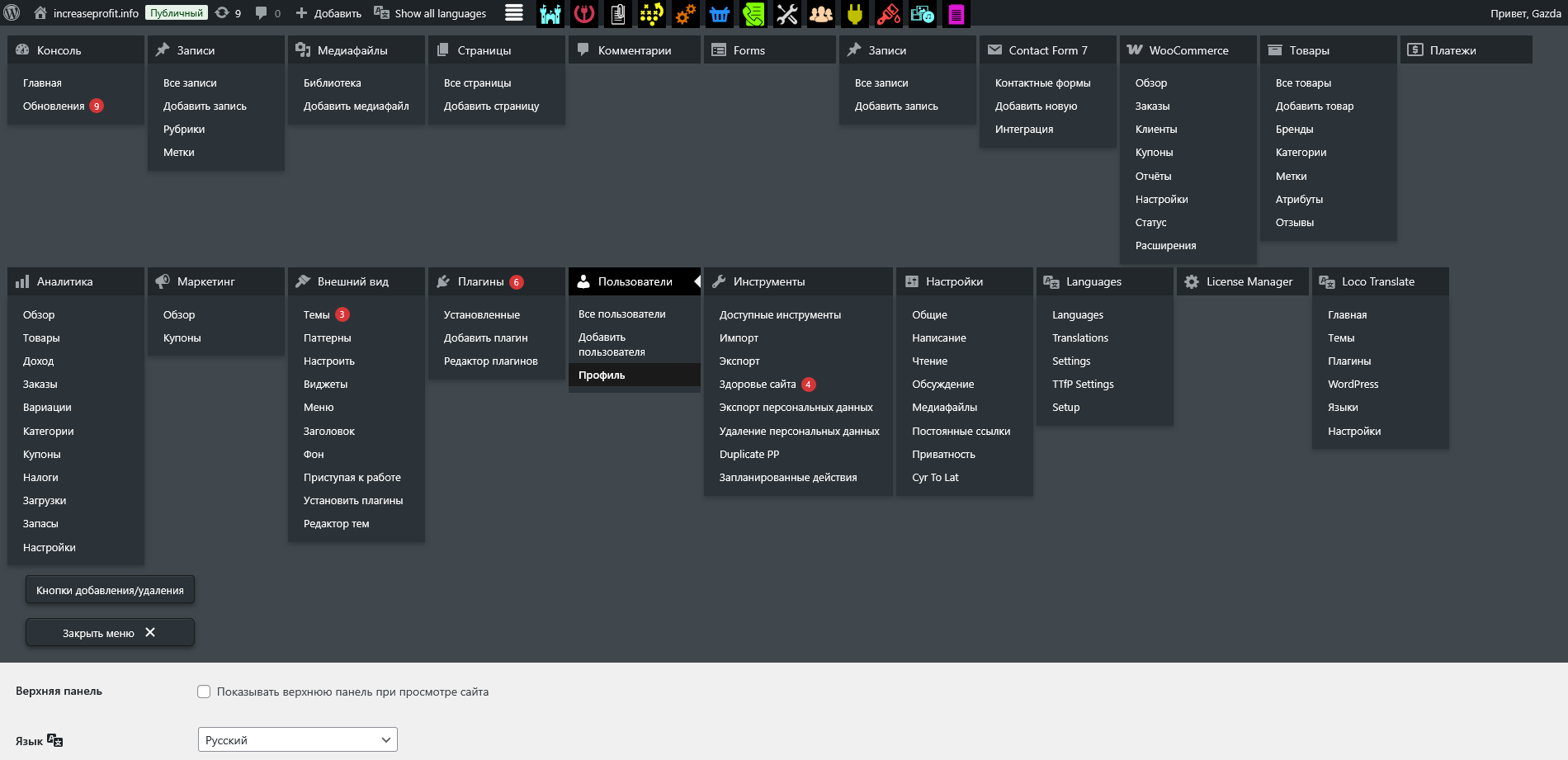
Why a Convenient Admin Menu Matters
The administrative panel is the main workspace for a website owner, developer, or content manager. The more convenient the navigation is, the faster tasks can be completed.
Main problems of a standard admin panel:
- it is difficult to quickly find the required section;
- frequently used functions are hidden deep in the menu;
- too many unnecessary elements;
- switching between sections takes time;
- the interface is overloaded and inconvenient.
All of this leads to wasted time and reduced productivity. The Efficient Admin Menu plugin solves these problems by creating a convenient quick-access system.
Main Goal of the WordPress Plugin
The main goal of the plugin is to simplify the administrator’s work and make the interface максимально удобным for everyday use.
With its help you can:
- quickly access the required admin sections;
- keep frequently used functions at hand;
- switch between sections in seconds;
- set up quick buttons for important pages;
- create a convenient and clear workspace.
As a result, the administrator spends less time on navigation and more time on real tasks.
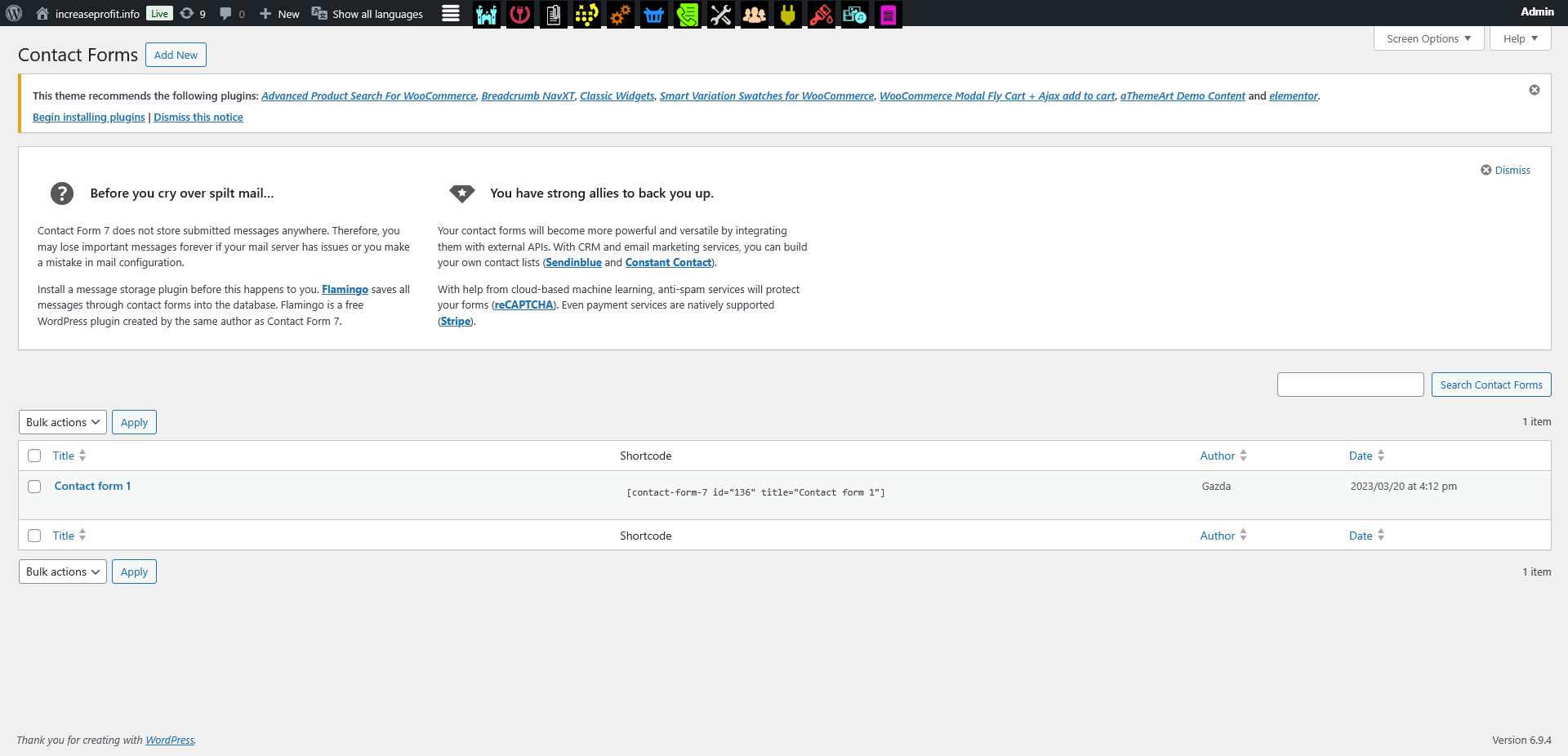
Quick Access to Sections
One of the key features of the plugin is fast navigation to the necessary sections of the administrative panel. This is especially important for websites with a large number of pages, settings, and functions.
There is no need to open the menu and search for the required item every time. Just click a button to instantly access the needed section.
This is especially useful for:
- page editing;
- content management;
- website settings;
- user management;
- plugin and module management.
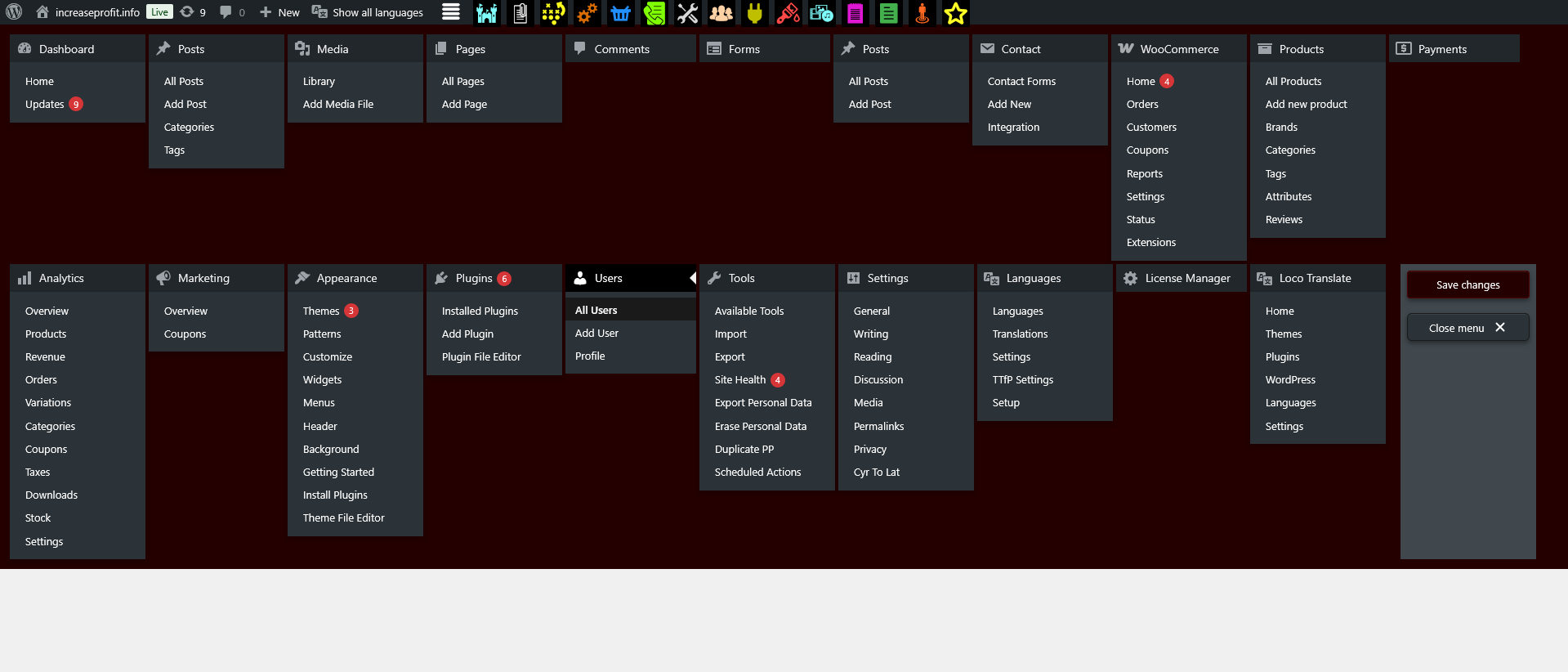
Frequently Used Functions Always at Hand
Administrators usually work with the same sections every day. The plugin allows you to place them in a convenient quick-access menu.
This allows you to:
- save time;
- avoid unnecessary clicks;
- complete daily tasks faster;
- work more comfortably.
All important tools are always visible, making work much easier.
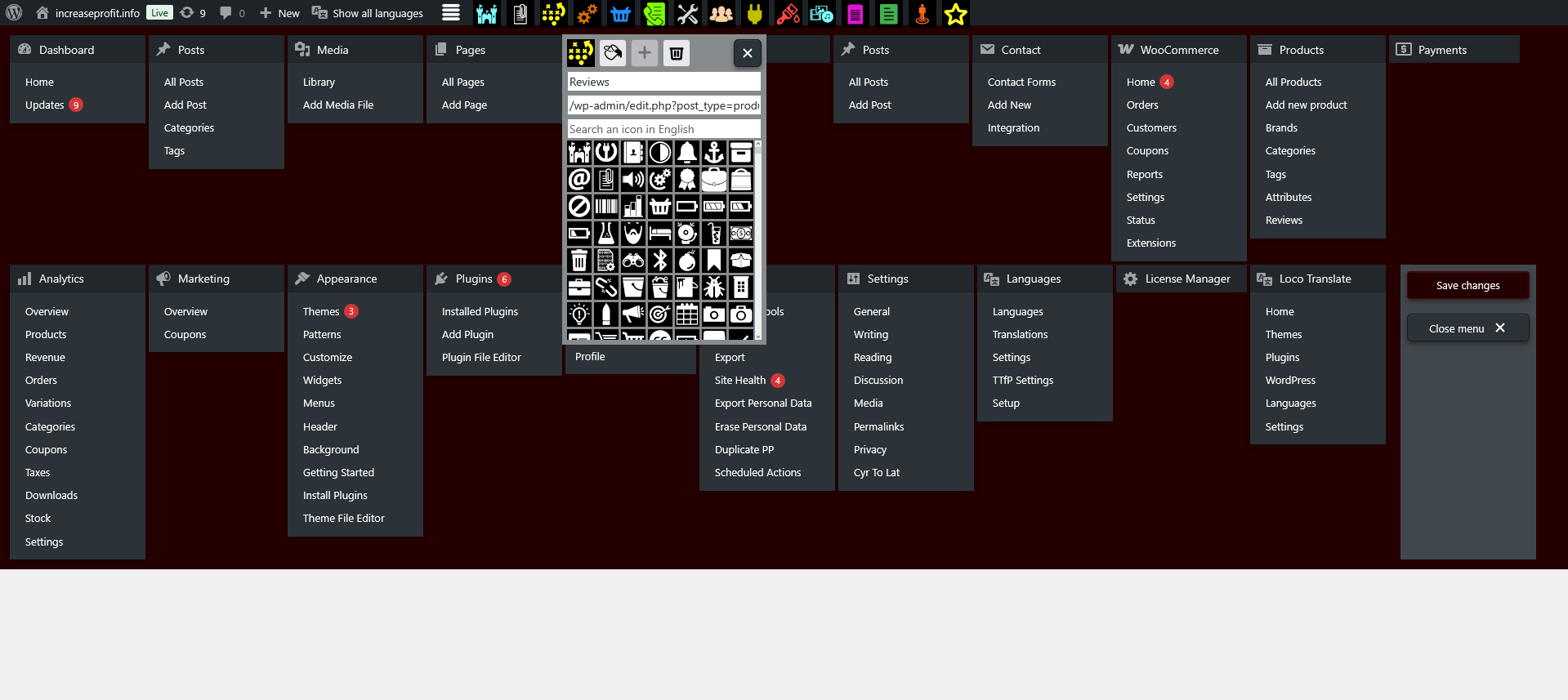
Fast Switching Between Sections
Another useful feature is the ability to instantly switch between different sections of the WordPress administrative panel.
This is especially useful when:
- editing multiple pages;
- configuring the website;
- checking content;
- managing modules;
- working with different tools.
The administrator can move through the system quickly without returning to the main menu.
Quick Button Configuration
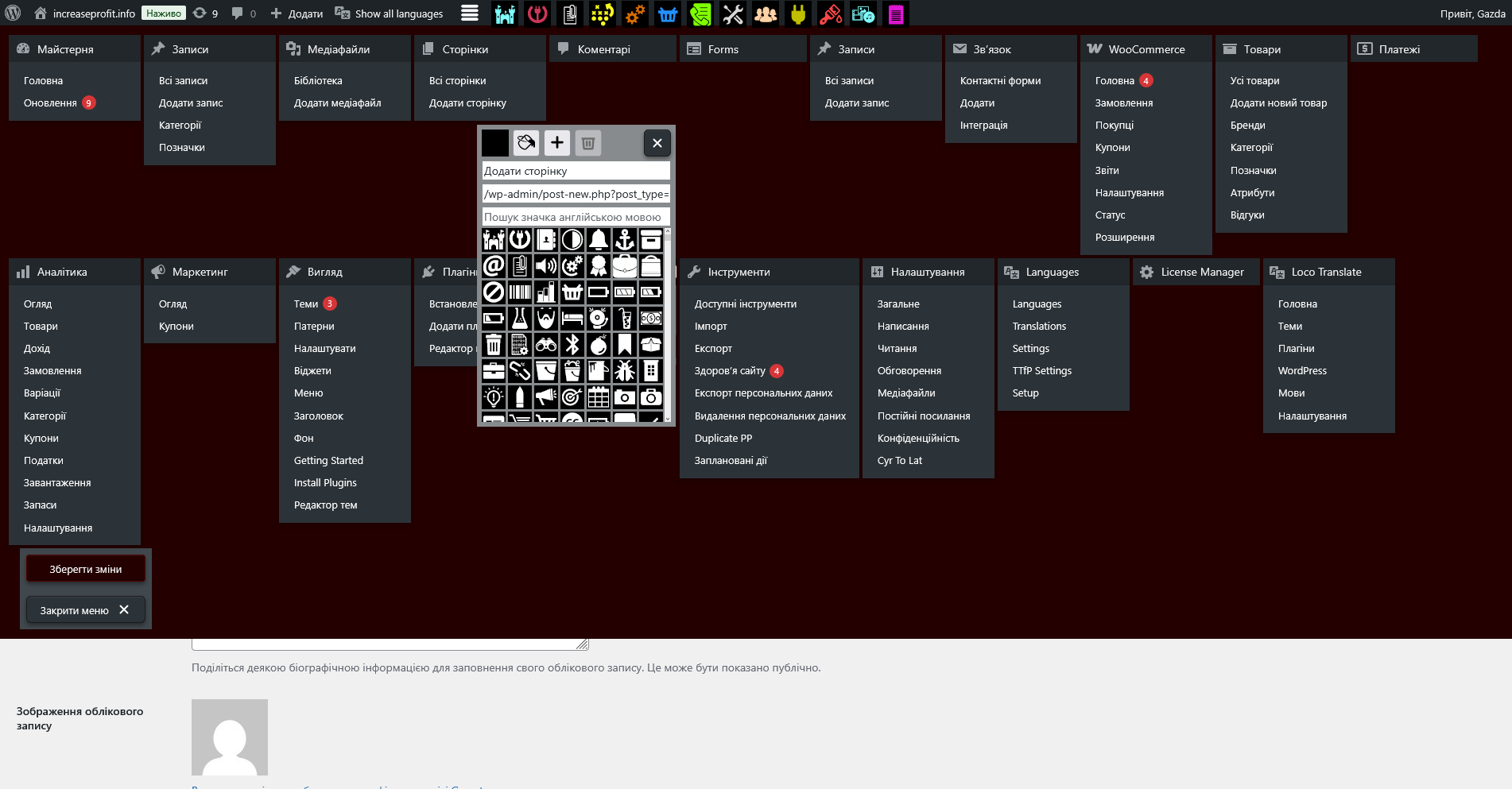
The plugin allows you to create quick buttons for any administrative panel section, giving full control over the workspace.
Advantages of quick buttons:
- interface personalization;
- convenient workflow organization;
- instant access to important functions;
- flexible configuration.
Each user can customize the menu according to their needs.
Icon Selection for Buttons
The plugin allows you to choose icons for quick buttons, making the interface more intuitive and visually appealing.
Icons help to:
- quickly find required sections;
- navigate the menu better;
- create a beautiful interface;
- simplify work.
Even with many buttons, the administrator can easily understand where each section is located.
Button Color Selection
Another useful feature is the ability to choose colors for quick buttons. This helps highlight important sections and create a logical menu structure.
Different colors allow you to:
- group sections;
- highlight key functions;
- navigate faster;
- create a structured interface.
Color solutions make work more comfortable and visually pleasant.
Convenient Navigation in the Admin Panel
Using different icons and colors helps users quickly navigate the administrative panel, which is especially important for large projects.
- reduced user load;
- faster workflow;
- ease of use;
- convenient website management.
Even new users can quickly understand the interface.
Freeing Up Workspace
The plugin helps free up space in the admin panel and remove unnecessary elements, making the interface cleaner and more convenient.
- clean admin panel appearance;
- no distractions;
- important functions always available;
- increased productivity.
A clean interface helps focus on tasks.
Access to Admin Panel Directly from the Website Page
One of the convenient features is the ability to jump directly to the required admin section from a website page.
- quick page editing;
- time saving;
- instant updates;
- faster content management.
The administrator can view a page and immediately switch to editing it.
Beautiful Interface
Colorful icons and buttons make the WordPress interface not only convenient but also visually appealing.
- pleasant design;
- modern interface;
- ease of use;
- comfortable workflow.
A beautiful interface makes daily work more enjoyable.
Who the Plugin Is For
- website administrators;
- content managers;
- web developers;
- project owners;
- content editors;
- marketers.
The plugin is suitable for both small websites and large projects.
Advantages of Using the Plugin
- easy to use;
- quick setup;
- convenient navigation;
- time saving;
- beautiful interface;
- improved efficiency;
- admin panel personalization;
- fast access to functions.
Results of Using the Plugin
After installation, working in the administrative panel becomes much easier. The administrator receives a convenient management tool that allows tasks to be completed quickly.
- faster workflow;
- easy navigation;
- clean interface;
- quick access to functions;
- comfortable admin panel work.
Conclusion
The Efficient Admin Menu plugin is a convenient and practical solution for optimizing work in the website administrative panel. It helps quickly find required sections, configure quick buttons, use icons and colors for navigation, and free up workspace.
Thanks to this, working in the WordPress admin panel becomes easy, fast, and enjoyable. The plugin saves time, increases productivity, and makes website management максимально comfortable.
If you want to simplify administrative panel work and improve usability, the Efficient Admin Menu plugin is an excellent choice.